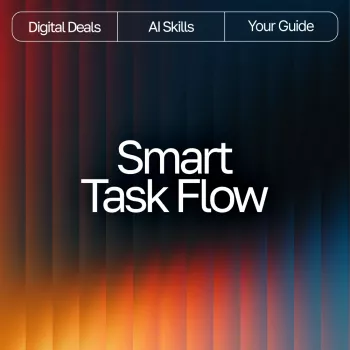
Smart Task Flow: AI Task Planning for Busy Weeks

Smart Task Flow: an AI-ready workflow for a clear plan fast
Smart Task Flow is a digital download our team designed for the moment when your task list is expanding faster than your available time. Instead of adding another complicated system to maintain, you get a straightforward workflow that turns “everything I should do” into a realistic, time-aware plan you can follow—even when meetings stack up and priorities shift midweek.
You’ll use a simple planner-style structure (capture, clarify, prioritize, schedule, review) plus practical AI task-planning frameworks so you can turn vague items into next actions, estimate effort, and map work into real calendar space. The goal is control and clarity: you decide what matters, and the plan stays usable when life changes.
What Smart Task Flow helps solve (without adding more complexity)
- Too many tasks competing for attention: organize work into a short “today/this week” plan instead of an endless backlog.
- Shifting priorities: use a quick re-plan routine so changes don’t break your whole system.
- Decision fatigue: convert vague tasks (“work on proposal”) into next actions with clear starting points.
- Overbooked calendars: match tasks to time blocks and energy levels, not wishful scheduling.
- AI that feels scattered: follow a repeatable way to use AI for planning—not just brainstorming.
Constant switching is a real productivity drain; reducing context switching and protecting focus blocks is one reason this workflow stays effective. For helpful background, see the American Psychological Association’s overview of switching costs: https://www.apa.org/research/action/multitask.
What’s included in the digital download
- A guided workflow that moves from capture → clarify → prioritize → schedule → review.
- A planner-style structure for daily focus and weekly planning—without a complicated app setup.
- AI task-planning prompt frameworks to break down projects, estimate effort, and choose next steps.
- A reusable system for recurring work: meetings, admin, deep work, follow-ups, and personal tasks.
- Clear usage paths for different work styles: calendar-first planners and list-first planners.
The Smart Task Flow method (the repeatable loop)
This is the core loop you’ll repeat weekly (and lightly each day) so your plan stays current.
| Step | Purpose | What to write | AI assist (prompt starter) | Result |
|---|---|---|---|---|
| Capture | Stop forgetting tasks | Quick bullets only | “Turn these notes into a task list with owners and due dates: …” | One clean inbox |
| Clarify | Remove ambiguity | Next action + definition of done | “Rewrite each task into a clear next action under 15 minutes, if possible: …” | Actionable list |
| Prioritize | Pick the few that matter | Top 3 outcomes + constraints | “Rank these tasks by impact and urgency; explain the top 5: …” | Short priority set |
| Schedule | Protect focus time | Time blocks + buffers | “Given these meetings and a 90-minute focus block, create a plan: …” | Realistic day plan |
| Review | Keep the system alive | Wins, open loops, next week goals | “Summarize progress and propose next-week priorities from this log: …” | Updated weekly map |
Using AI to plan tasks without losing control of your priorities
- Start with context, not just tasks: share your role, deadlines, active projects, and available hours so suggestions stay realistic.
- Ask for options, then choose: request 2–3 planning approaches (focus-first, deadline-first, energy-based) and pick the one that fits your week.
- Force clarity with constraints: include time limits (15/30/60/90 minutes), dependencies, and “must-do” items to prevent bloated plans.
- Translate big projects into next actions: use AI for milestone ideas, then convert the first milestone into one task you can do today.
- Keep a human final check: confirm against real commitments (meetings, family time, deliverables) before locking the plan.
If you want a solid reference for getting better outputs from AI tools, OpenAI’s prompt engineering guidance is a useful companion: https://platform.openai.com/docs/guides/prompt-engineering.
A simple weekly setup that takes 20–30 minutes
- Collect: pull tasks from email, chat, notes, and meeting action items into one inbox list.
- Clarify: rewrite each item so it starts with a verb and has an obvious finish line (send, draft, review, schedule, confirm).
- Choose outcomes: pick 1–3 results that would make the week feel successful (deliverable shipped, client follow-up, prep done).
- Time-map: place priority work into actual calendar space first; add buffers for transitions and surprise requests.
- Daily start: choose a “Top 3” plus one maintenance block (admin/email) so deep work isn’t crowded out.
- Daily close: do a 5-minute reset—capture new tasks, mark progress, and pick the first task for tomorrow.
Common planning traps Smart Task Flow is built to prevent
Who this workflow system fits best
Recommended downloads from our store
- Smart Task Flow | Guide for Busy Professionals | Productivity Planner | Digital Download for How to Use AI to Plan Tasks | AI Task Planning eBook & Workflow System ($10.99)
- Smart Insurance for New Car Owners: A Guide to Understanding Insurance Basics & Choosing the Right Policy ($7.99)
How to get started the same day you download
FAQ
Does Smart Task Flow work if the schedule changes every day?
Yes. You capture changes quickly, re-rank priorities using time and energy constraints, and protect 1–2 non-negotiable focus blocks while keeping everything else in a small, controlled queue.
Do I need a specific AI tool to use the AI task-planning prompts?
No. You can use the frameworks with common AI chat tools as long as you provide context and constraints, then verify the output against your real calendar commitments before you adopt the plan.
Is this better for list people or calendar people?
It works for both: lists are ideal for capture and clarify, while the calendar is where you protect what must happen. The workflow bridges the two so your tasks match real time instead of staying stuck as good intentions.














Leave a comment